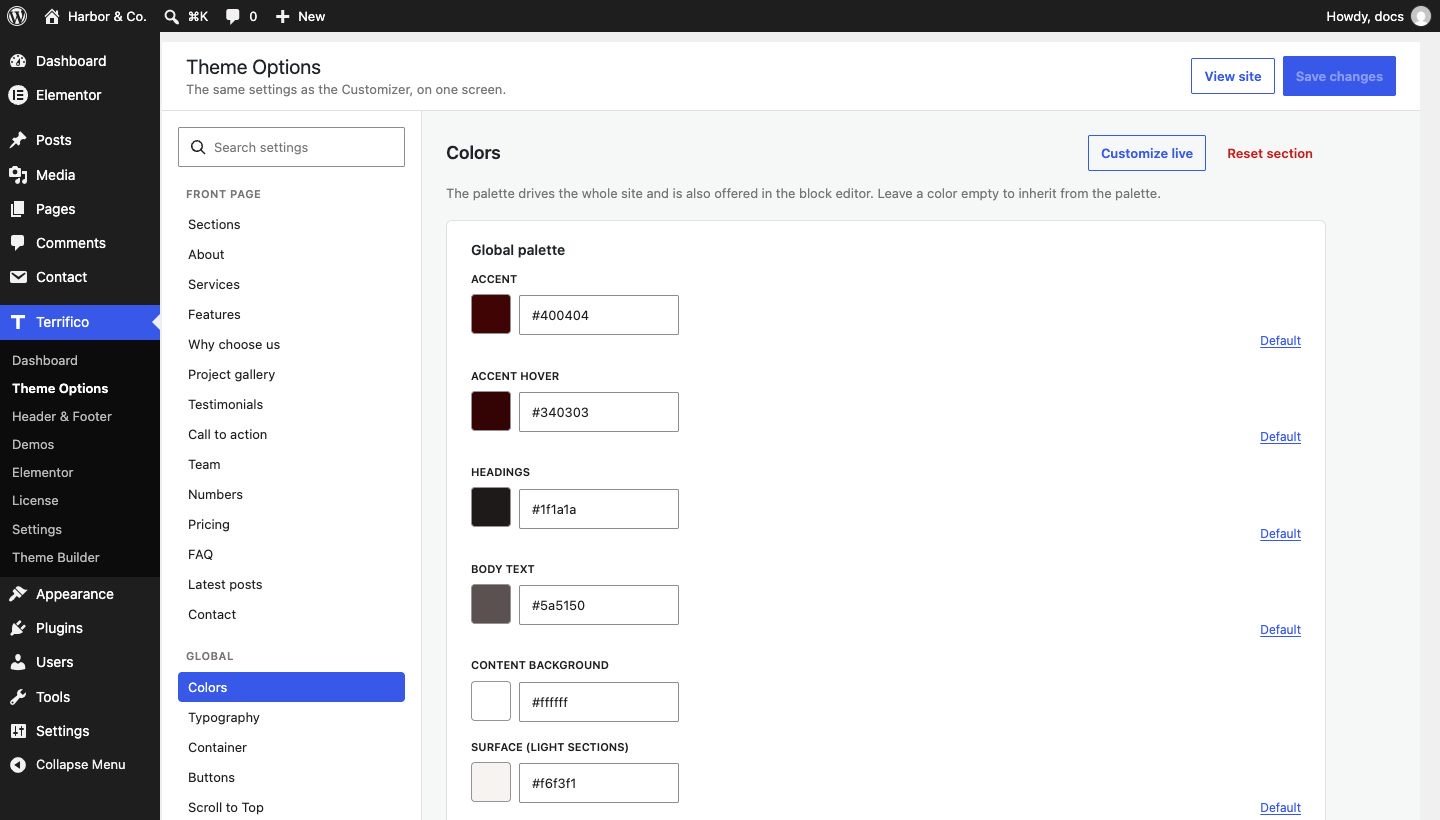
Theme options
Terrifico documentation
Theme options
Browse the documentation
Every Terrifico setting lives in the Customizer, under Appearance → Customize, with a live preview. Settings are stored as theme mods, so they survive theme updates and travel with a standard WordPress export.
Global
- Colors: a nine-color palette (accent, heading, text, background, surface, border and more). The same colors appear in the block editor’s color picker.
- Typography: body and heading fonts, with 28 Google Fonts and system fonts; accent words in headings can use their own font and color.
- Buttons: colors, corners and text style.
- Container and Sidebar: content width, boxed or full-width site, sidebar side and width per post type. Pages edited with Elementor are full width by default.
- Scroll to Top, Social Profiles and Performance.


Header
- Primary Header: three layouts (logo left, logo center, menu below), height, colors, sticky header.
- Top Bar: contact details, social icons or a secondary menu above the header.
- Primary Menu and Mobile Menu: menu style, and a dropdown, off-canvas or full-screen mobile menu.
- Transparent Header: let the header sit over the first section, on the front page or everywhere.
- Header Elements: header button and search.
- Hero and Hero designs: see Front page.
Content
- Page Title Bar: style, size, alignment and a background image.
- Breadcrumbs: in the title bar or above the content; Yoast SEO and Rank Math breadcrumbs are used when present.
- Blog / Archive: list or grid with 2–4 columns, plain or card style, sortable post elements and meta, image ratio, excerpt length, pagination.
- Single Post: meta, tags, author box and post navigation.

Footer and shop
- Footer Widgets: up to four columns. Bottom Bar: copyright text, footer menu or social icons.
- Shop Layout (with WooCommerce): products per row and per page, shop and product sidebars, the header cart icon.
With Terrifico Pro
Terrifico → Theme Options shows the same settings in one searchable panel with tabs, plus Export, Import and Reset. It writes the same settings as the Customizer, so you can use either. Pro also adds its own sections to the Customizer: Header → Header Builder and Mega Menu, Footer → Footer Builder, Blog → Related Posts, WooCommerce extras and Global → Custom Code.
Under Terrifico → Settings you can switch Pro modules on and off, and set up white label (rename the theme and plugin, hide help links) for client sites.