
License & activation
Terrifico documentation
License & activation Pro
Browse the documentation
A Terrifico Pro license gives the plugin automatic updates, access to every demo and the template library, and support. The free theme never needs a license.
Activate your key
- Go to Terrifico → License.
- Paste the key from your order email or from My account → License keys at hillcityweb.com/themes. Keys look like
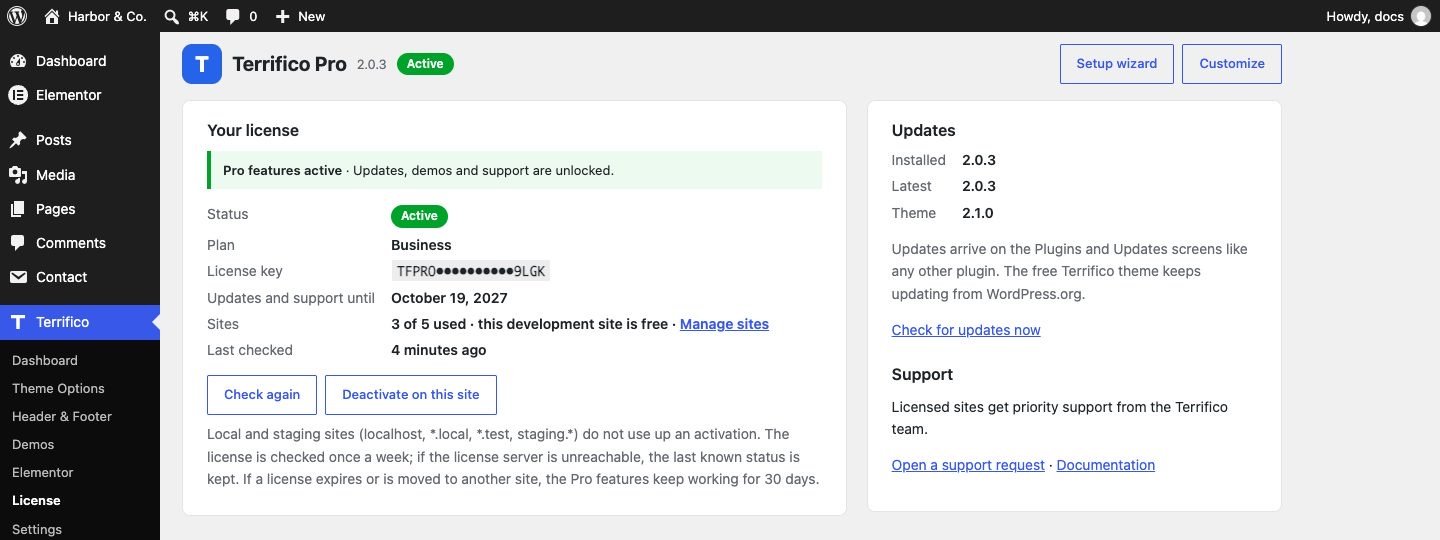
TFPRO-XXXX-XXXX-XXXX-XXXX. - Click Activate. The screen shows your plan, how many sites are in use and when the license renews.
Plans and sites
- Personal: 1 site. Business: 5 sites. Agency: unlimited sites.
- Local and staging sites never use an activation:
localhost, addresses ending in.local,.testor.localhost, addresses starting withstaging.,stage.,dev.ortest., and the staging domains of WP Engine, Kinsta, Flywheel, Pantheon and Cloudways. - To move a license, click Deactivate on the old site first, then activate it on the new one.
Updates
With an active license, new versions of Terrifico Pro appear under Dashboard → Updates and on the Plugins screen, like any plugin. The free theme keeps updating from WordPress.org.
Without a key, and when a license ends
- Evaluation: for the first 14 days after you install Pro, its features work without a key. Premium demos, the template library and updates need an activated license.
- Grace period: if an active license expires or is deactivated, Pro keeps working for 30 more days.
- After that: Pro’s features switch off until you activate a valid key. The free theme and your content stay; pages you built with Terrifico Elementor widgets keep displaying them, but the widgets leave the Elementor panel and the header & footer builder, mega menu and other modules stop until you renew.
The license is checked when you activate it, then about once a week in the background. If our server can’t be reached, your site keeps its last known status; a server outage never switches Pro off.