
Front page
Terrifico documentation
Front page
Browse the documentation
Terrifico can build your front page from ready-made sections instead of page content. Open Appearance → Customize → Front Page. Sections only show on a static front page: set Settings → Reading → Your homepage displays to A static page.
Page content or sections
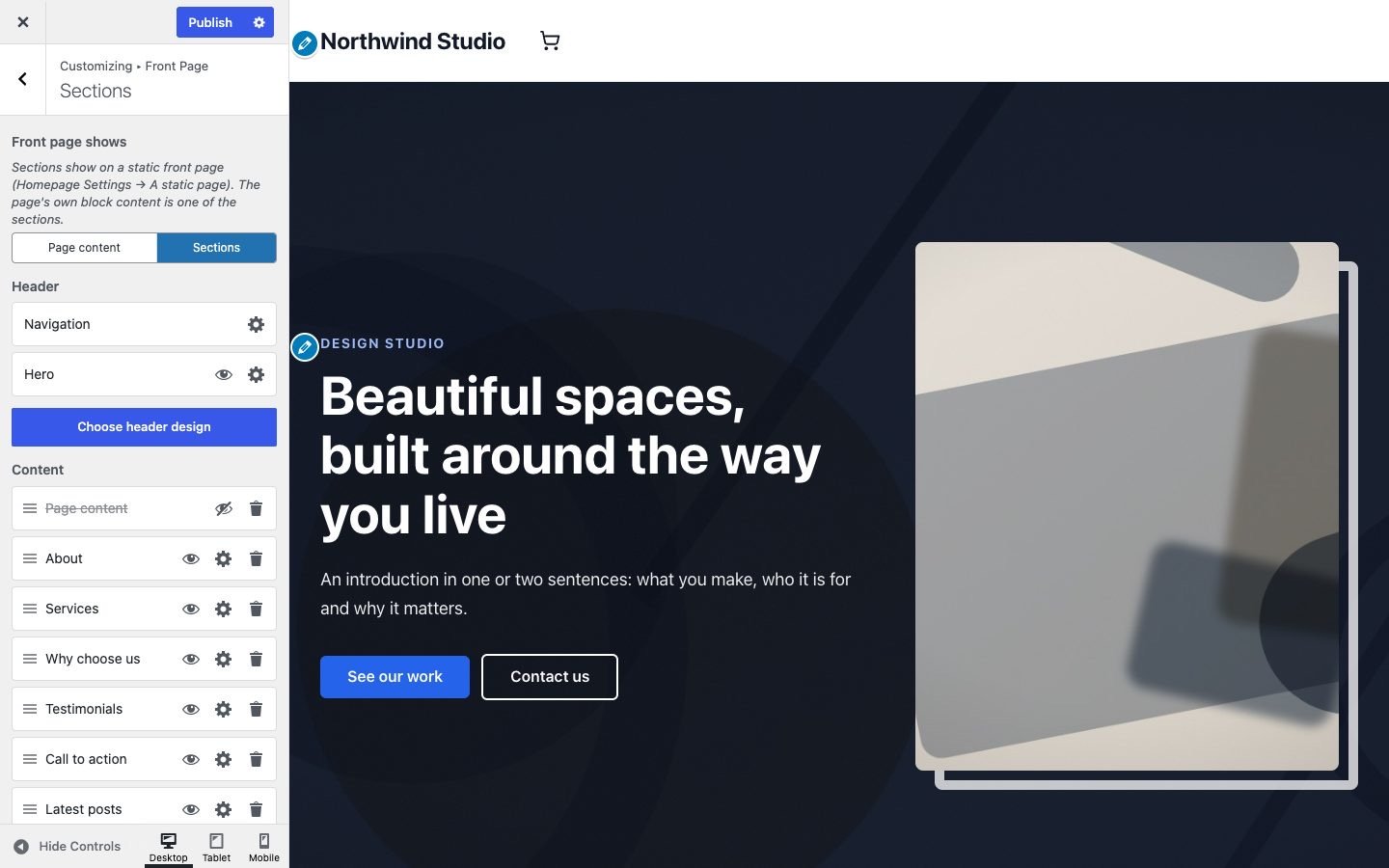
At the top of Front Page → Sections, Front page shows switches between the page’s own block content and the section list. In section mode the page content is one of the sections, so you can still place it between others or hide it.
The section list
The Header list holds the navigation and the hero; the Content list holds the sections, in order:
- Drag a row by its handle to move a section.
- The eye button hides a section without losing its content.
- The gear button opens the section’s settings: text, images, links, background and spacing.
- The trash button removes it from the list; Add section brings it back.
There are 13 section types: About, Services, Features, Why choose us, Project gallery, Testimonials, Call to action, Team, Numbers, Pricing, FAQ, latest Posts and Contact. With Elementor active, one of your saved Elementor templates can be a section too.
Ready-made layouts
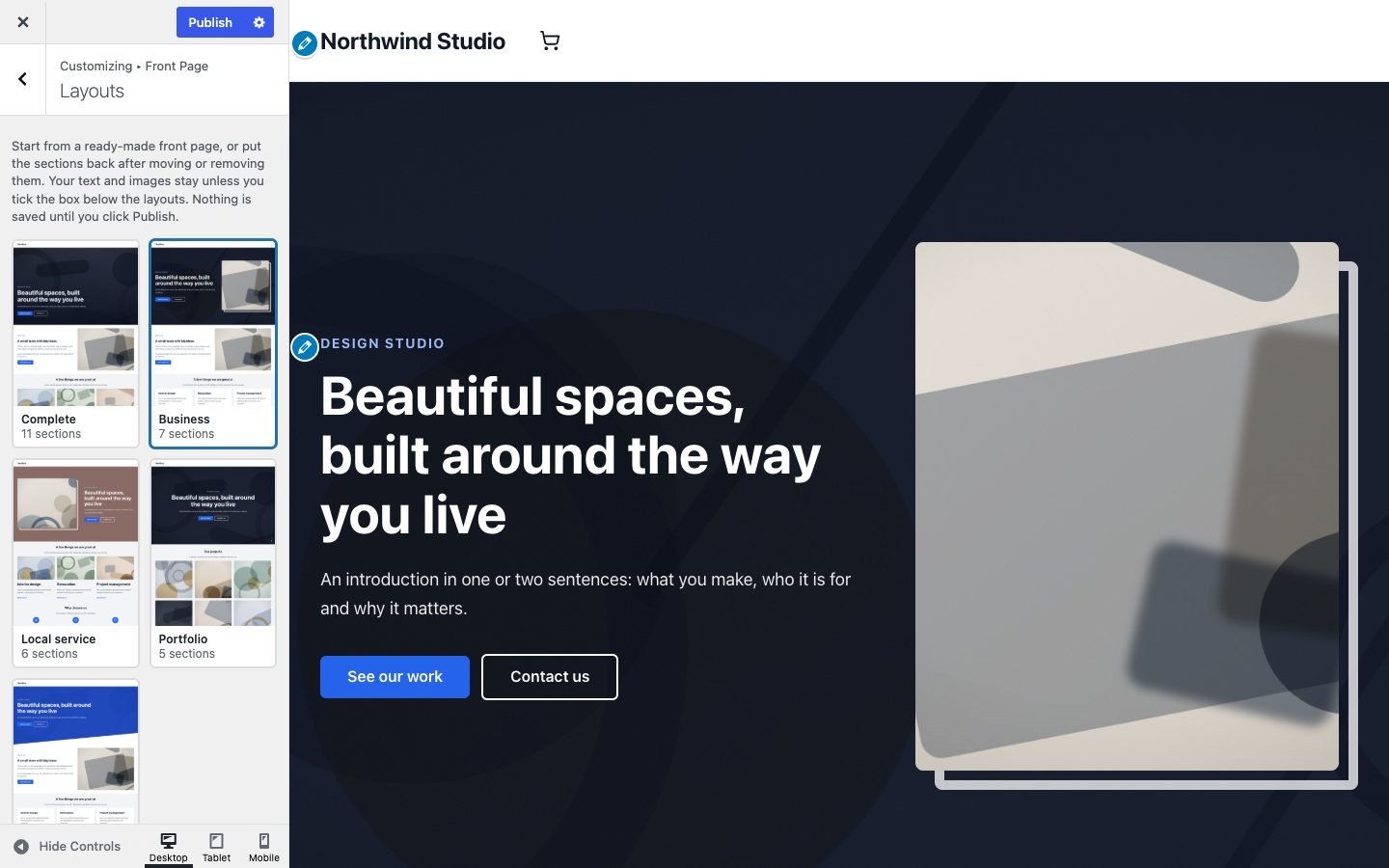
Choose a layout under the section list opens five layouts: Complete, Business, Local service, Portfolio and One page. A click sets the section order, a hero design and the section styles. Your text and images stay; sections a layout doesn’t use are hidden, not removed. Tick Also restore the sample text and images to put the theme’s sample content back as well (you’ll be asked to confirm). Nothing is saved until you click Publish, so closing the Customizer undoes it.
The hero
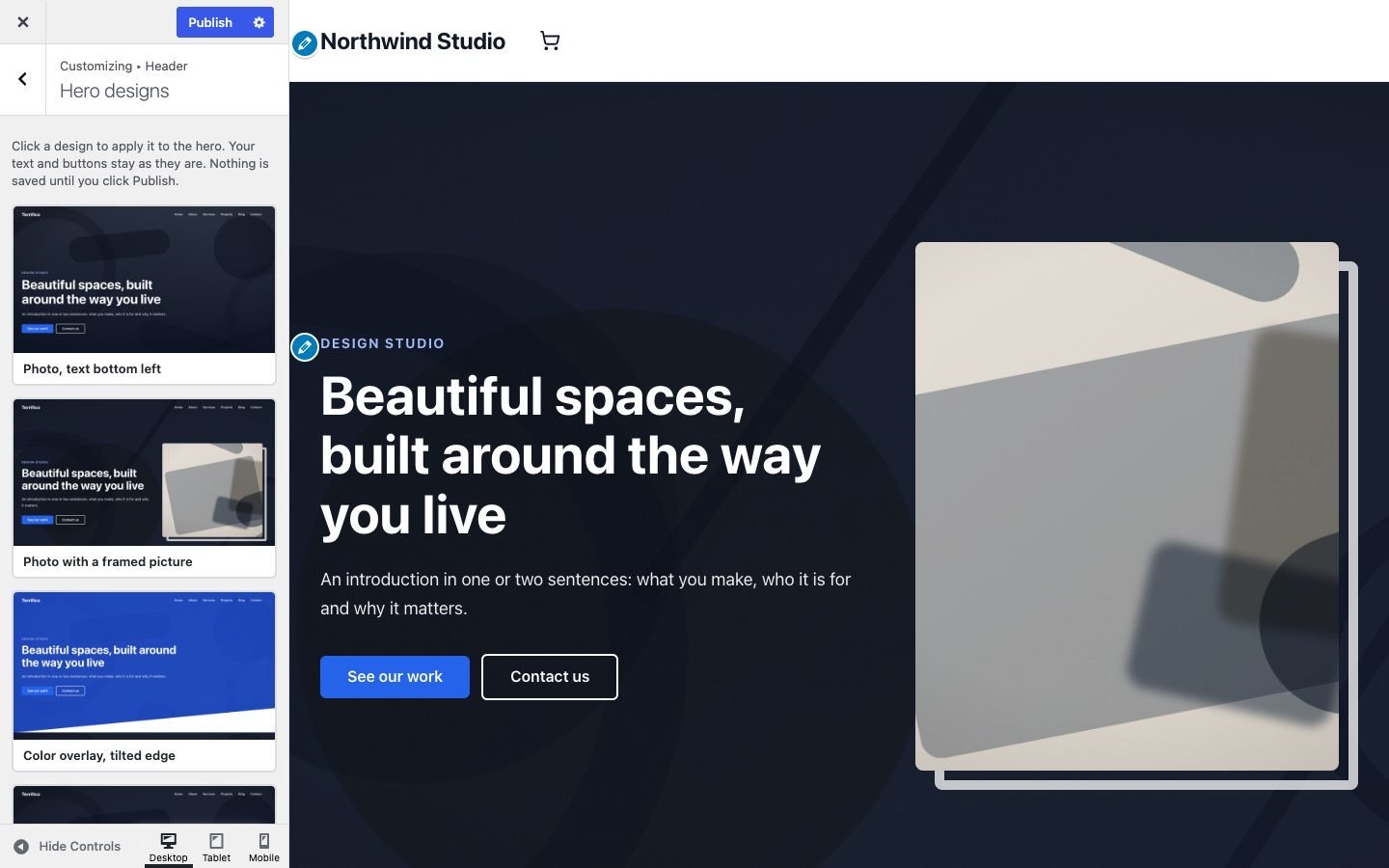
Customize → Header → Hero sets the large section under the header: an image, slideshow, video (MP4 or YouTube), gradient or color background, an overlay, a straight, angled, curved or wavy bottom edge, a label, title, text, two buttons and an optional picture beside the text. WordPress’s Header image also lives here; when one is set, the hero shows it as the background. Hero designs applies one of five looks in one click and keeps your text.
Block patterns
For any other page, open the block inserter → Patterns → Terrifico: 17 patterns for heroes, about, services, features, galleries, team, pricing, FAQ, testimonials, calls to action and contact.