
Header & footer builder
Terrifico documentation
Header & footer builder Pro
Browse the documentation
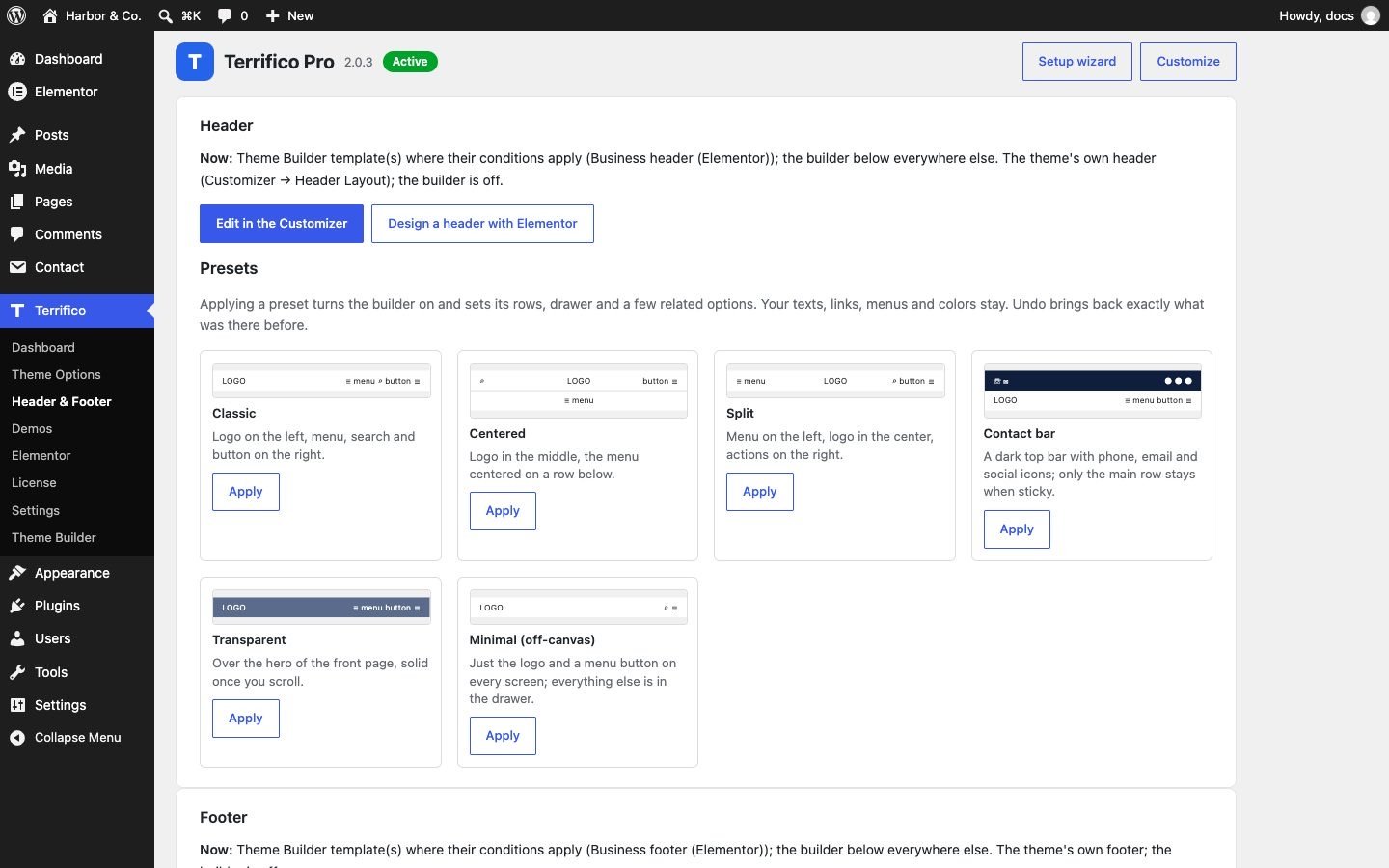
Terrifico Pro replaces the theme’s fixed header and footer layouts with a builder you fill by dragging. Open Appearance → Customize → Header → Header Builder (or Footer → Footer Builder), or start from a preset under Terrifico → Header & Footer.
Rows and elements
- The header has three rows (top, main, bottom) and the footer three rows, each with left, center and right areas.
- Header elements: logo, primary and secondary menu, search, button, cart, social icons, phone & email, two text blocks, dividers, the menu button and language switcher (Polylang or WPML). Footer rows add the four footer widget columns, copyright, footer menu and logo.
- Each row has its own colors, padding, separator line and device visibility.
- The drawer is the slide-out panel on phones (and on every screen if you turn on the desktop menu button). By default it holds the menu, a button and social icons.
- The header can stick from the top, main or bottom row.
- Two elements can show a Theme Builder template, for anything the built-in elements don’t cover.
Presets
Terrifico → Header & Footer offers 6 header and 4 footer presets. Applying one sets the layout and its options; Undo brings your previous header or footer back. The screen also shows what currently draws your header and footer: the builder, the theme’s own layout or a Theme Builder template.
Mega menu
- Go to Appearance → Menus and open a top-level item.
- Tick Mega menu and choose the number of columns. Its sub-items become column headings, their children the links.
- Panel width, padding and heading style are under Customize → Header → Mega Menu.
A Theme Builder header template, where its conditions match, takes the place of the builder (see Theme Builder).