Significo Pro adds these settings to the Customizer, and all theme settings also appear on Significo → Theme Options.
The Theme Options screen
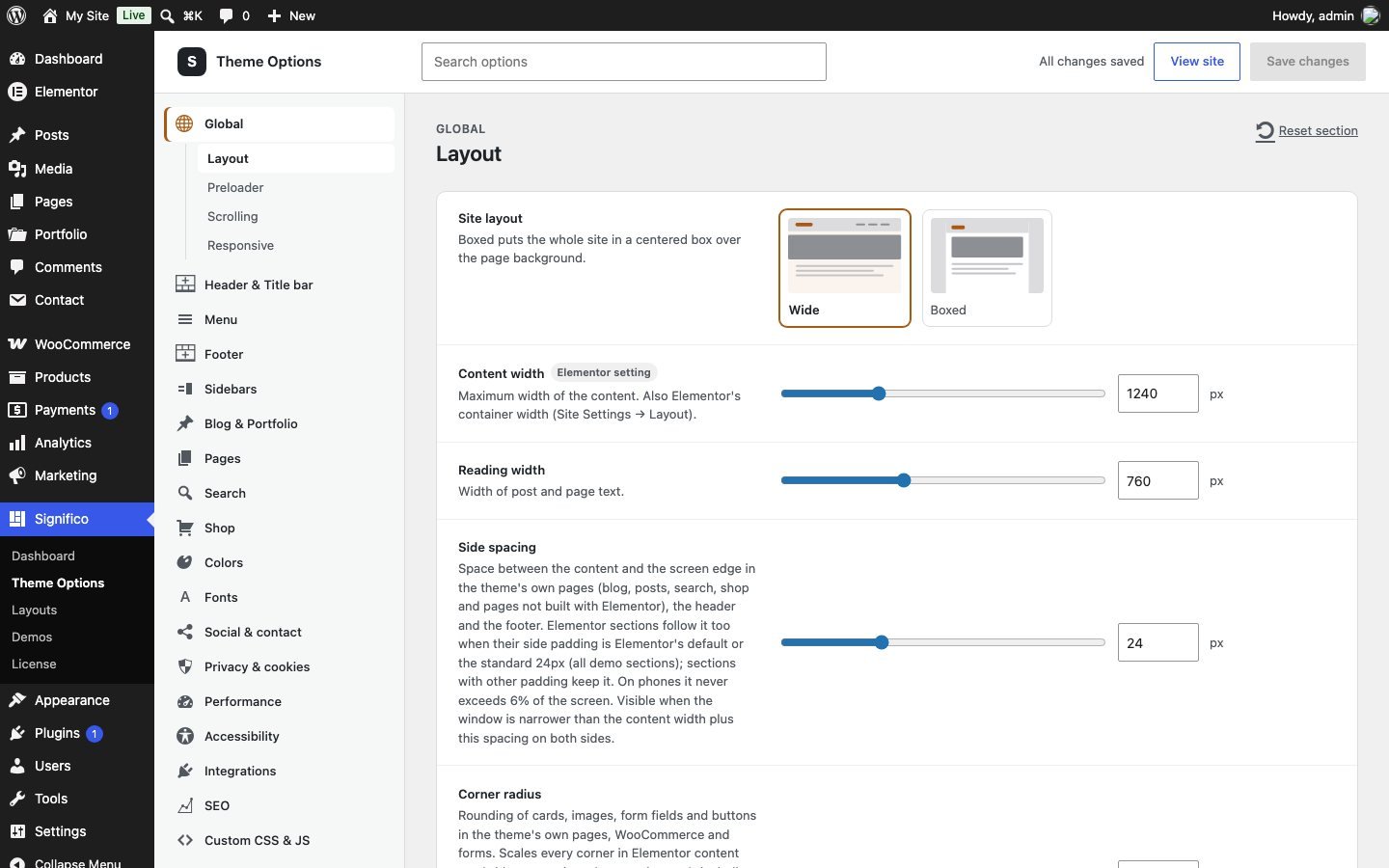
Significo → Theme Options shows every setting on one full-screen page, grouped in the left column. The search box at the top finds any setting by name; Save changes (or Ctrl/⌘ + S) saves them. Backup & reset exports all options to a file, imports them on another site, or resets them.
SEO
SEO adds a description and social sharing tags to each page, a default sharing image, and structured data for search engines. If you use an SEO plugin such as Rank Math or Yoast, Significo leaves this to the plugin.
Privacy & cookies
Privacy & cookies → Cookie banner shows a banner with your message, accept and decline buttons and a link to your policy page, as a bar or a box in a corner. Analytics and scripts you mark can wait until a visitor accepts.
Integrations
- Analytics: your Google Analytics 4 or Google Tag Manager ID, optionally only after cookie consent and without counting logged-in administrators.
- Maps: a Google Maps API key for the Google Map widget.
Performance
Switch off WordPress’s emoji and embed scripts, skip block editor styles on pages built with Elementor, turn Google Fonts off entirely, show text while fonts load, and preload the logo.
Custom CSS & scripts
Add your own CSS, and scripts before </head>, after <body> and before </body>, for example a chat widget. Scripts can wait for cookie consent.
Maintenance mode
Pages → Maintenance mode shows a coming-soon or maintenance page to visitors while you work: a page of your own or a title and text, an optional launch date, and who still sees the site. Remember to switch it off when you launch.
More
- Custom fonts: upload your own font files under Fonts → Custom fonts; they appear in the font lists.
- Share buttons on posts and products, with the networks you choose under Social & contact → Share buttons.
- Extra widget areas under Sidebars → Custom sidebars.
- Live results in the header search, as you type.
- Wishlist and quick view for WooCommerce; see WooCommerce shop.