All Firmness settings are in Appearance → Customize → Firmness Theme Options. Your site’s logo, tagline, menus, widgets and homepage choice are in the usual WordPress places next to that panel.
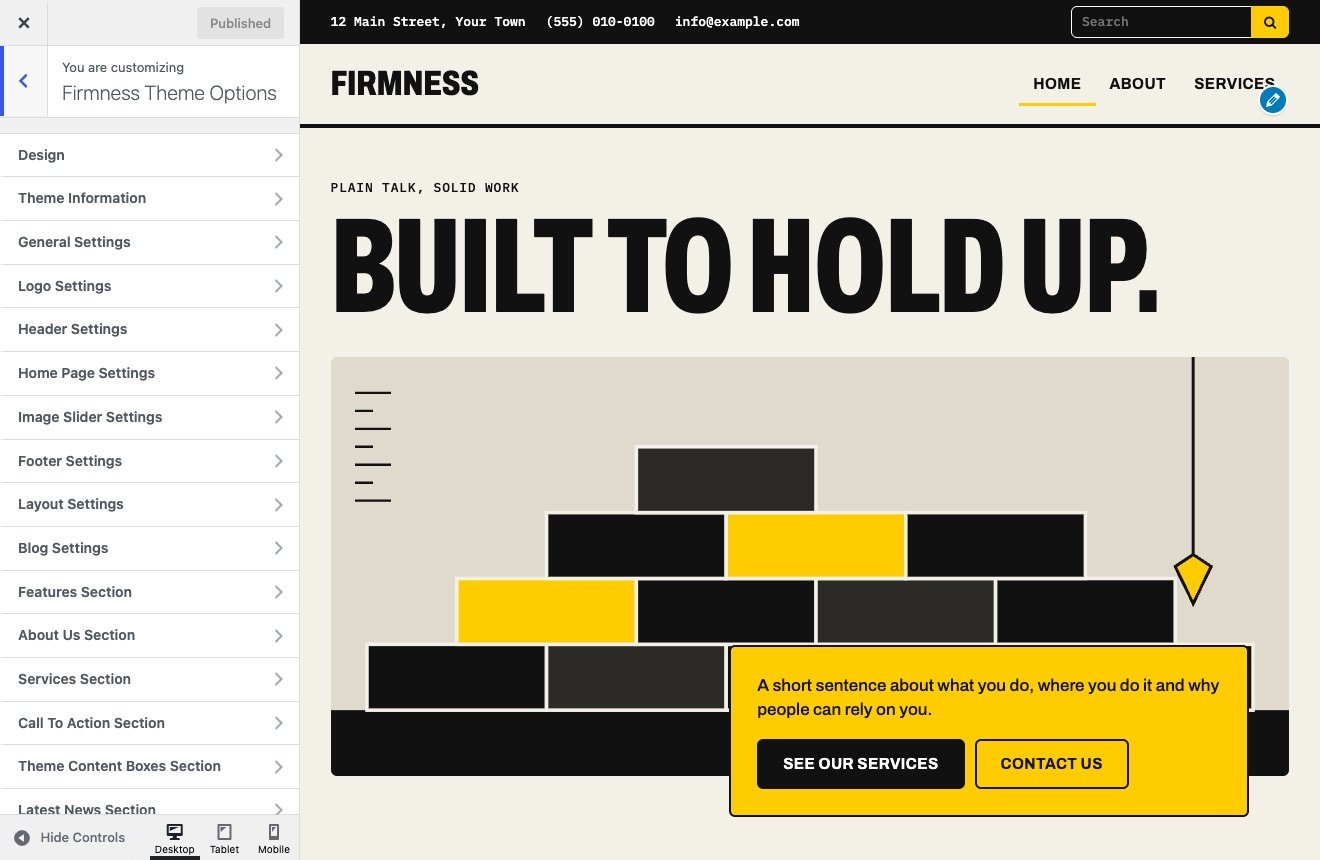
| Section | What it controls | Explained in |
|---|---|---|
| Design | Classic or Modern | Classic and Modern |
| Theme Information | Links to these docs, the support forum and the theme page | This page |
| General Settings | Theme color, favicon, breadcrumbs, animation, scroll-up | General, logo, menu and fonts |
| Logo Settings | Tagline on both designs; logo size and font on Classic | General, logo, menu and fonts |
| Navigation Settings | Menu font and colors. Classic only | General, logo, menu and fonts |
| Typography Settings | Body font, text and link colors. Classic only | General, logo, menu and fonts |
| Header Settings | Address, phone, email, social links, cart, search | Header |
| Home Page Settings | Switches for each home page section | Home page and opening |
| Image Slider Settings | Slides, captions and Modern’s opening headline | Home page and opening |
| Footer Settings | Footer widgets, copyright text; colors on Classic | Footer and social links |
| Layout Settings | No sidebars, right sidebar or left sidebar | Blog and layout |
| Blog Settings | Excerpts, pagination, post links, post info, images | Blog and layout |
| Features Section | Title, description and four features | Home page section settings |
| About Us Section | Title and text | Home page section settings |
| Services Section | Title, description, image and four services | Home page section settings |
| Call To Action Section | Small and big header, button | Home page section settings |
| Theme Content Boxes Section | Three columns with icon, text and link | Home page section settings |
| Latest News Section | Title, category and number of posts | Home page section settings |
| Social Links | Links for twelve networks | Footer and social links |
Navigation Settings and Typography Settings don’t appear in the list while Modern is active, because all their fields belong to Classic.