Blog, layout & footer
Modality documentation
Blog, layout & footer
Browse the documentation
Layout and sidebars
Theme Style → Layout Settings:
- Theme Layout: right sidebar, left sidebar or no sidebar, for the whole site.
- A different layout for Posts, Pages and Blog, archives and search (and the shop, with WooCommerce).
- Site width (full width or boxed), Content width and Sidebar width.
- Whether posts, pages and sidebar widgets sit in a bordered box or are plain, and the Button corner radius.
Any single post or page can choose its own layout in the editor, in the Modality layout box: use the Customizer setting, no sidebar, or a sidebar on the right or left. The page templates Page With No Sidebars, Page With Left Sidebar and Page With Right Sidebar from 1.x still work.
Blog
Blog & Footer → Blog Settings:
- Blog layout: one post per row, or a grid of 2 or 3 columns.
- Blog Content: an excerpt (with Blog Excerpt Length) or the full post, and the text of the “More” link.
- Post details in the blog: date, author, categories, comments and the “More” link, each on or off.
- A placeholder image for posts without a featured image, so a grid stays even.
- On single posts: the featured image, tags, an author box, and Post Navigation Links in the sidebar or below the post.
Display Breadcrumbs (in General Settings) adds a breadcrumb trail to the title band.
Social links
Blog & Footer → Social Links takes links for Facebook, X (Twitter), LinkedIn, Instagram, YouTube, TikTok, Pinterest, Vimeo, GitHub, WhatsApp and email. Only networks with a link are shown. They appear in the social bar (turn it on in Home Page Settings) and, optionally, in the top section.
Footer
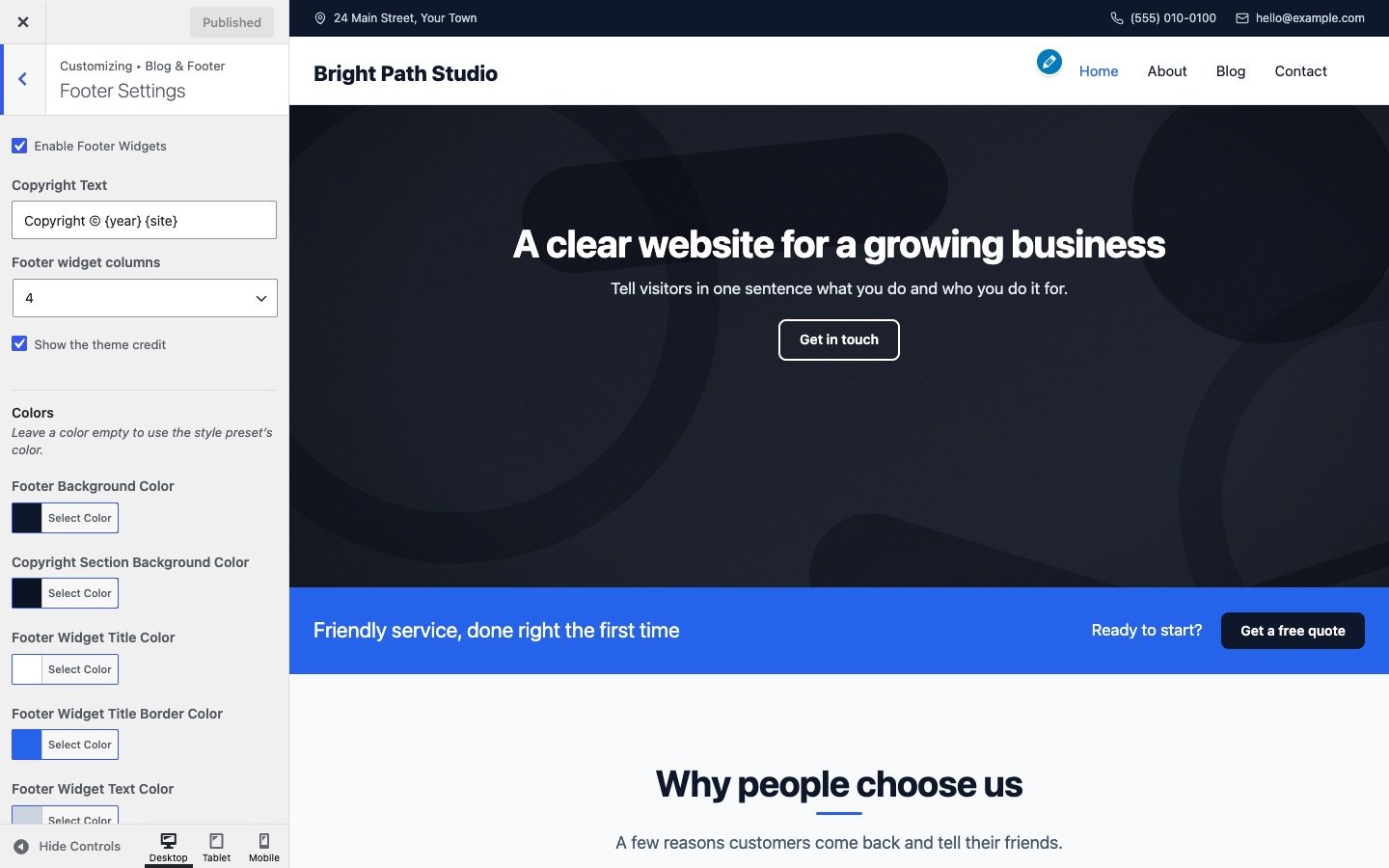
Blog & Footer → Footer Settings:
- Up to four footer widget columns (Footer widget columns). Add widgets to Footer Widget 1–4 in Appearance → Widgets.
- Footer colors, and the Copyright Text. Write
{year}and{site}in it for the current year and your site title; the default is “Copyright © {year} {site}”. - Show the theme credit: a small “Modality by Hill City Web” link, which you can turn off.
- Enable Scrollup (in General Settings) adds a back-to-top button.