
Style presets & colors
Modality documentation
Style presets & colors
Browse the documentation
A style preset sets the colors, fonts and layout of everything you have not changed yourself. Choose one in Customize → Theme Style → Style Preset. The preview changes right away; nothing is saved until you click Publish.
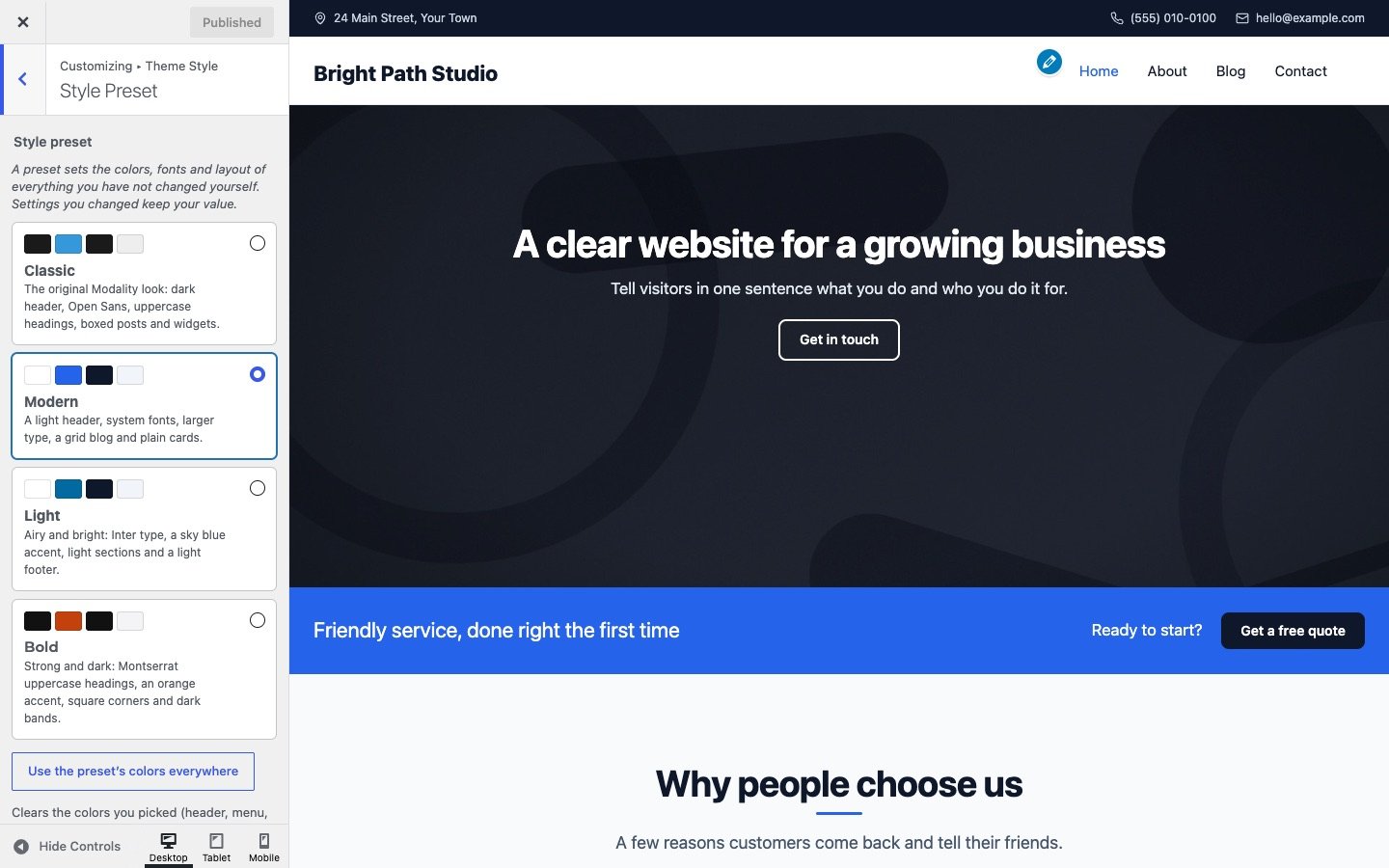
The four presets
- Modern (the default for new sites): a light header, system fonts, larger type, a grid blog and plain cards.
- Classic: the original Modality look, with a dark header, Open Sans, uppercase headings and boxed posts and widgets. Sites updated from 1.x get this preset.
- Light: airy and bright, with Inter, a sky blue accent, light sections and a light footer.
- Bold: strong and dark, with Montserrat uppercase headings, an orange accent, square corners and dark bands.

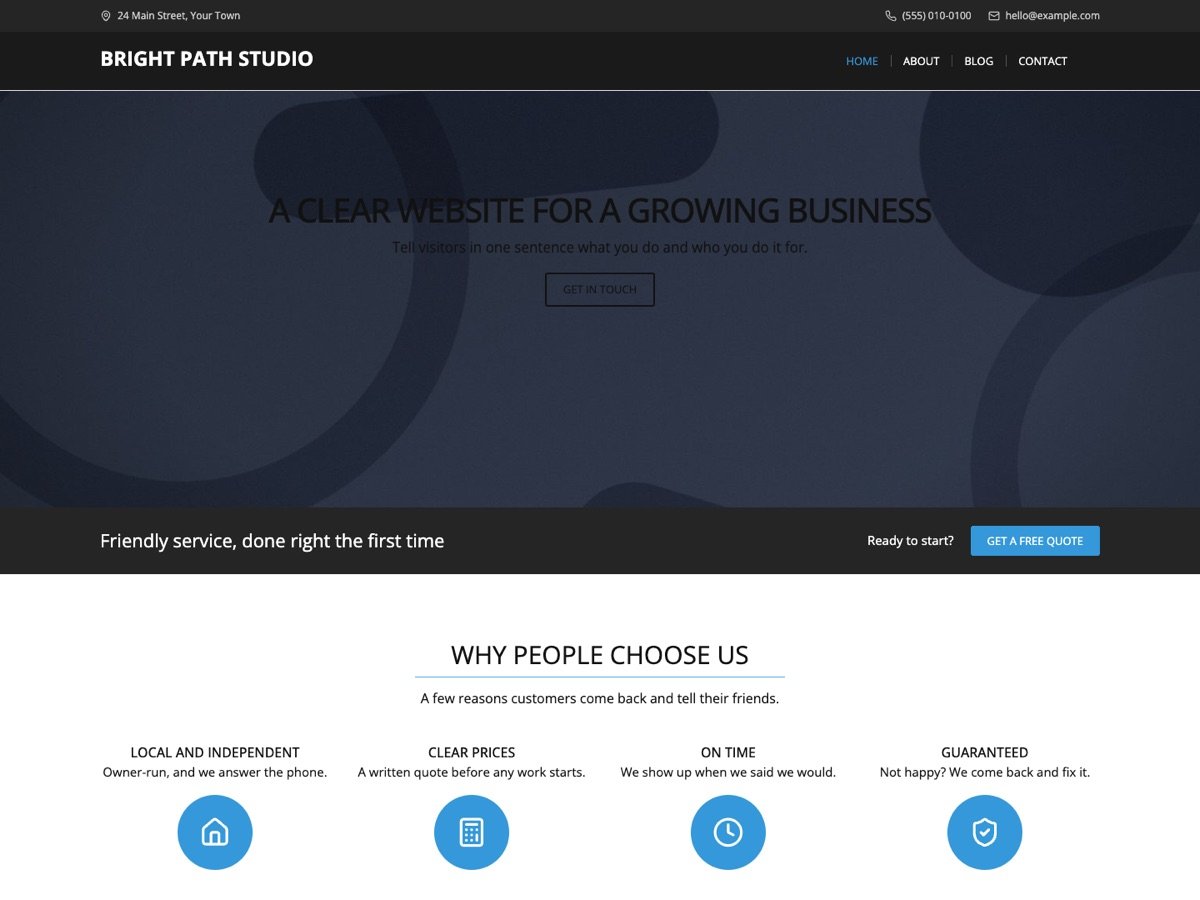


Your changes win
A setting you changed keeps your value when you switch presets. That way you can try presets without losing your work. To start over with a preset’s colors, click Use the preset’s colors everywhere under the preset cards: it clears the colors you picked (header, menu, sections, footer and the palette), and the preset’s colors take their place.
The color palette
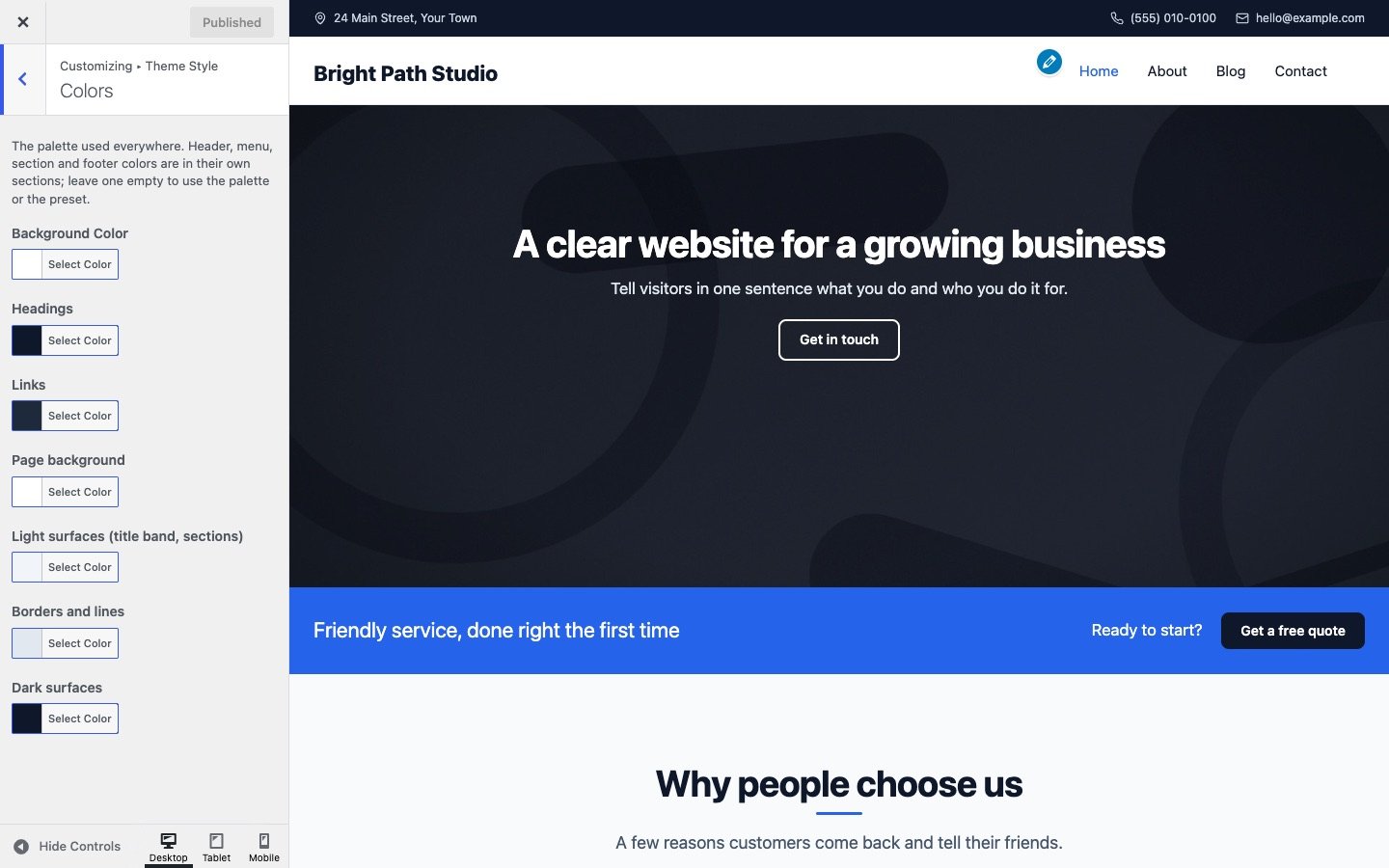
Theme Style → Colors holds the palette used across the site:
- Theme Color (in General Settings): the accent for buttons, links on hover, icons and highlights.
- Headings, Links, Page background, Light surfaces (the title band and light sections), Borders and lines and Dark surfaces.
- Body Font Color is in Typography Settings.
Header, menu, section and footer colors are in their own sections. Leave any of them empty to use the palette or the preset. The same palette appears in the block editor, so text and backgrounds you color there match your site.
Readable colors
The Modern, Light and Bold presets meet the WCAG AA contrast level for text and buttons. Classic keeps the original Modality blue (#3498db) so updated sites look the same; white text on it is lighter than the AA level. If that matters for your site, choose a darker Theme Color (for example #1f6fb2) or switch presets. When you pick your own colors, check that text stays easy to read on its background.